Linear Workflow Automation for Agent Ticket Assignment
Rules handle routing and agents handle judgment, with humans staying accountable.
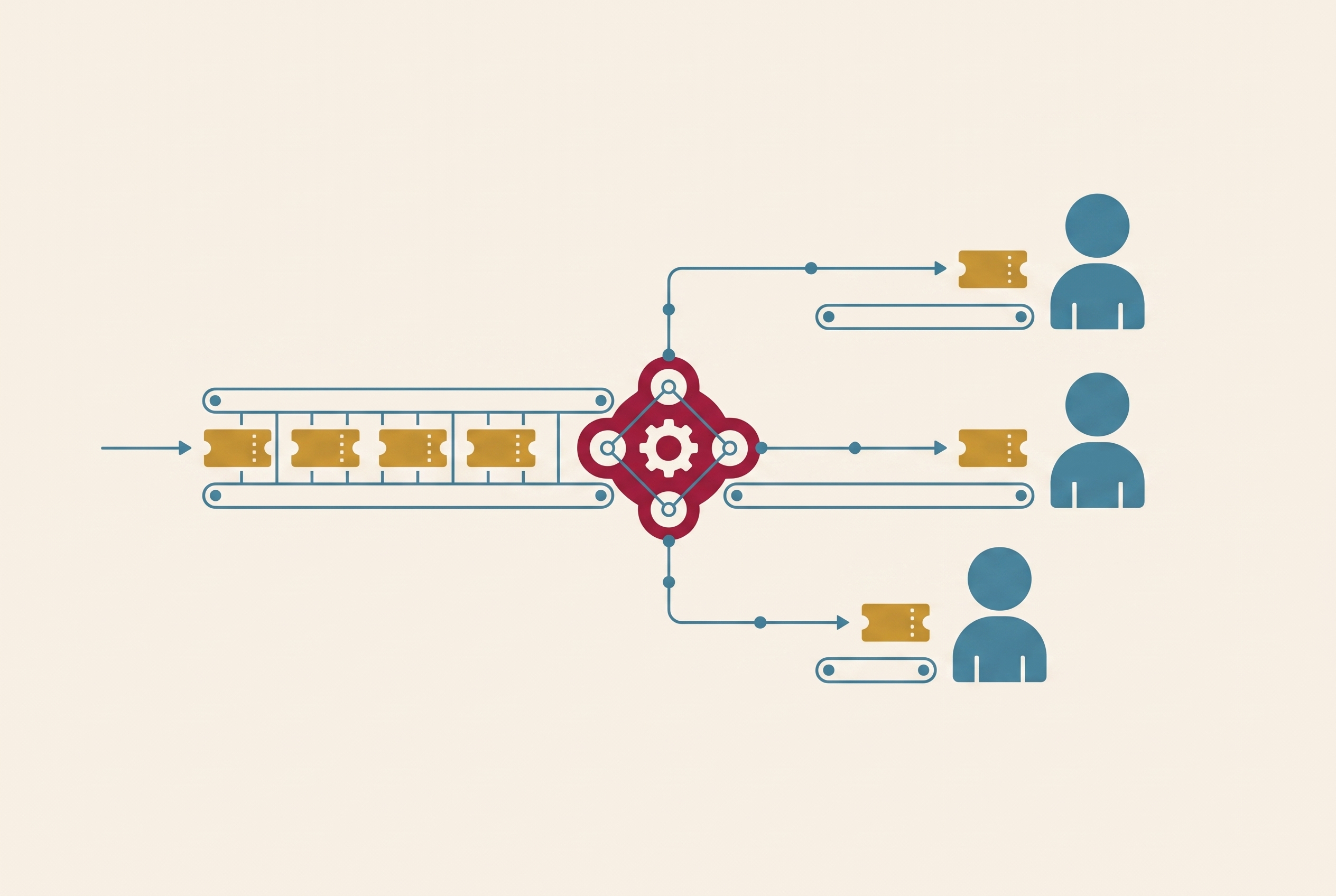
Linear workflow automation for agent ticket assignment works best as a division of responsibility. Rules route and shape incoming issues, while agents read the content and handle work that static conditions cannot resolve. In Linear, automation rules can set team, status, label, assignee, priority, and project on issues entering triage, and agents can be delegated work such as labeling, prioritizing, identifying owners, and drafting sub-issues. Issues arrive from Slack, Intercom, Zendesk, Front, and other sources, so the assignment process has to handle many different kinds of input. The two layers help each other, and people still own the work. This post explains how the layers divide the work, where delegation takes over from rules, what can go wrong, and how to set up a pipeline with clear human ownership. The purpose is to remove procedural work so engineers can focus on decisions that require human judgment.
Why Ticket Assignment Becomes a Bottleneck
Someone has to read each ticket, decide which team owns it, choose a priority, and move it into the right workflow. Even well-organized engineering teams spend significant time on this procedural overhead. Assignment concentrates the burden because each unresolved ownership question interrupts the path from a reported problem to work someone can start.
Consider a bug report that comes through Slack and is unclear. Its source may be enough to place it in triage, but not enough to establish who should investigate or how urgently. A person must then separate routine routing from decisions that depend on the report’s substance. Linear’s homepage describes the product as “designed for workflows shared by humans and agents”. That premise makes assignment a workflow architecture question, with the boundary between rules and judgment determining where human attention is needed.
How Rules & Agents Divide Work
Linear’s assignment documentation describes automation rules that set team, status, label, assignee, priority, and project on issues entering triage. This is the deterministic layer. It checks known conditions before a person reviews the issue, so the routing properties are already set when it reaches the team’s workflow. It handles decisions that can be made ahead of time, so someone does not have to make them again for each incoming ticket.
An agent can label an ambiguous issue, assess priority from context, identify the right owner, or draft sub-issues and specifications. Those tasks depend on the issue’s content as well as its existing properties. Rules can delegate to an agent within the same triage flow, making the handoff an automatic part of intake.
The rule establishes the known routing context, and the agent works through what remains unresolved. Delegation also separates execution from responsibility. The human assignee retains ownership while the agent contributes on that person’s behalf, so automating the work does not require transferring accountability to the system performing it.
Routing Issues Early with Triage Rules
A condition can match an issue property such as team, status, label, or source, and the resulting action sets one or more routing properties. The available outputs include team, status, label, assignee, project, and priority. This gives rules control over both where an issue goes and how it appears when it arrives. The routing happens before anyone looks over the ticket.
The intake sources make this useful beyond issues created directly in Linear. Intercom, Zendesk, Front, and Slack integrations can generate issues that land in triage automatically. On Enterprise, Gong call insights can produce feature requests and bugs with transcript excerpts and route them to triage without manual steps after initial configuration. Rules then apply the routing decisions that can be made from the properties available at intake.
An ambiguous title may not establish priority, and the correct owner may depend on the issue’s content. Drafting useful context for a reviewer also requires more than matching a field. Triage Intelligence can suggest or apply routing information using AI on supported plans, bridging pure rule-matching and agent judgment. When the work needs more thought or preparation, delegation is the next step.
Where Agent Delegation Takes Over
An automation rule can invoke an agent as part of the same triage flow that sets issue properties. The handoff preserves the work already done. Instead of reconsidering every routing decision from scratch, the agent receives an issue whose known properties have been established and handles tasks that require reading its content. These can include labeling, prioritizing, choosing the right owner, and preparing requirements or sub-issues for the assignee.
Agent work can also include the coordination around assignment. Agents can post comments or updates to synced Slack threads, keeping discussion connected to the ticket and making the handoff explicit. Loops can run on a schedule or when an event happens, so an issue entering triage can start agent work without someone making a separate request. Delegation specifies who performs the work, while the trigger specifies when that work begins.
The assignment documentation states that the assignee maintains responsibility, and the issue’s activity feed tracks both assignment and delegation history. Linear can also automatically assign an issue to a teammate who creates a Git branch from it and move the issue to a started state. That mechanism connects ownership to a person beginning implementation. Agent delegation lets an agent do procedural work on behalf of the person who is responsible.
Consider a bug report that comes through Slack and is unclear.
Example: Three Agents from Ticket to PR
A three-agent system built on Linear illustrates how automated assignment can extend through an implementation workflow. Its main roles are a Tech Lead agent, a Developer agent, and a QA agent. The flow begins when a ticket moves to “To Do” and is assigned to the Tech Lead agent. That agent picks it up automatically and starts a Slack thread. The thread becomes the coordination hub for handoffs and status updates linked to the issue.
The Tech Lead first sets up an isolated environment with separate git worktrees and isolated ports. This allows multiple tickets to run in parallel without conflict. Before implementation begins, it tags the QA agent to create a testing plan from the ticket description. The timing is deliberate. Tests are grounded in expected user behavior before code exists, rather than being shaped around the implementation after it has been written.
The Developer agent then produces an implementation plan. A separate agent reviews that plan with fresh context, and a synthesis agent combines the two contributions. This adds independent review to the main role-based workflow rather than asking the implementation agent to supply its own assessment. The Slack thread keeps each handoff, status update, and decision together in one linked record. Work can pass between agents without requiring a person to reconstruct the sequence from disconnected exchanges.
The example’s entry condition shows the deterministic side of the design, while planning and review show the side that needs more judgment. Its agent-assignment terms differ from Linear’s delegation model, in which a person keeps ownership. In a governed delegation flow, the human assignee is still responsible while agents work together to get the work done. The example demonstrates how work can be divided among agents.
Loops & Triggers Beyond Single Issues
Assignment also changes when the team changes. Linear’s changelog describes team-level Loop triggers for when a team is created, someone joins, someone leaves, or an issue is assigned to a team. These events extend automation beyond changes to an individual ticket. A departure, for example, can trigger a Loop that reassigns the teammate’s open issues. That removes a manual handoff step that would otherwise fall to a manager or team lead.
External events broaden the same model further. A message in a public Slack channel or a GitHub pull request label can trigger a Loop, while project status changes can also start work. These triggers let the assignment system respond where coordination is already happening. A team need not rely solely on someone noticing an external update and translating it into action inside Linear. The relevant event can start the agent’s next task.
The October 22, 2026 changelog also describes configurable reasoning levels for Loops, including Auto, Low, Medium, and High. Auto uses the workspace default. The choice balances speed and cost against the complexity of the task, allowing routine routing to remain fast while more demanding decisions receive deeper reasoning.
Failure Modes & Governance
The strongest objection to agent-driven assignment is that a person still bears the consequences of a wrong decision. An agent can misjudge priority, ownership, or dependencies while producing an output that is mechanically valid. A successful operation may direct work toward the wrong goal, with consequences for timelines and the people responsible for them.
Ambiguous descriptions make that gap more likely. An agent may act on a plausible reading that does not match the intended request, and downstream automation can compound the mismatch. Description updates introduce a related risk. Agents can overwrite the entire ticket description, including verification criteria that a reviewer needs. If those criteria disappear, the ticket loses part of the basis on which the work should be assessed.
The two-layer design addresses these risks by preserving a boundary between predictable routing and delegated judgment, but that boundary is not sufficient on its own. Human ownership must remain explicit and enforced. Linear’s delegation model supplies the structural distinction between the responsible assignee and the agent doing work on their behalf. Teams still need rules governing what the agent may change and when its judgment requires review.
Oversight needs to be retained while agent judgment is being calibrated. Ending human review too soon can hide errors and make it unclear who owns the work, especially when one automated decision triggers another. Explicit limits on overwriting descriptions and verification criteria protect the reviewer’s basis for evaluation. Consistent triage notes make it easier to check the agent’s decisions. These controls allow procedural work to be delegated without treating a technically completed action as proof of a sound decision.
Setting Up the Rule-to-Agent Pipeline
To put this division of work into practice, begin with the triage rules. Set conditions using the relevant issue properties, including team, status, label, and source, then define the properties the rule should set. The outputs can include assignee, priority, label, and project. Add agent delegation in the same triage flow so the rule sets those properties before handing off the rest of the work. The full rule-to-delegation pipeline requires Business or Enterprise access.
Next, confirm that the agent has access to the issue’s team. Configure the agent’s skills as saved workflows that it invokes when the context matches. Those skills define what happens after delegation. This makes the agent’s role a configured part of the workflow rather than an unspecified request to handle whatever arrives.
Linear Agent chat is included on every plan, including Free, with no additional cost beyond seats. Enterprise also lets teams share issues and use Gong transcript routing, which needs to be set up before it can create issues from call transcripts automatically. These distinctions determine which intake and delegation mechanisms a team can configure.
Finally, establish governance as part of setup, before agents begin changing tickets. Define a comment-format convention for consistent, auditable triage notes and explicit limits on overwriting descriptions or verification criteria. Keep a human in the assignee position for every issue entering the delegation flow. Use Insights to see how work is spread across assignees and agents and where automation is concentrated or missing. The operating boundary should remain clear even as automation expands, with agents performing delegated work and people retaining responsibility for its consequences.
Sources
- Changelog
Described the team-level Loop triggers for team creation, joins, departures and team assignment.
- Linear
Supplied Linear's framing of the product as built for workflows shared by humans and agents.
- Assign and delegate issues
Explained delegation, the assignee keeping responsibility, activity history, and Git branch auto-assignment.
- Linear Intake
Covered intake sources such as Intercom, Zendesk, Front and Slack feeding issues into triage.
- Triage
Supplied the triage rule conditions and outputs, plus Triage Intelligence and plan requirements.
- The Work Behind Delegation: A Framework for Supervising AI Coding Agents
Informed the argument that delegating to agents leaves human supervision and ownership in place.
- Introducing Loops
Described Loops running on a schedule or on events to start agent work.
- More ways to run and share Loops
Provided the Slack and GitHub triggers and the Auto, Low, Medium and High reasoning levels for Loops.